
How to Create and Manage a Style?
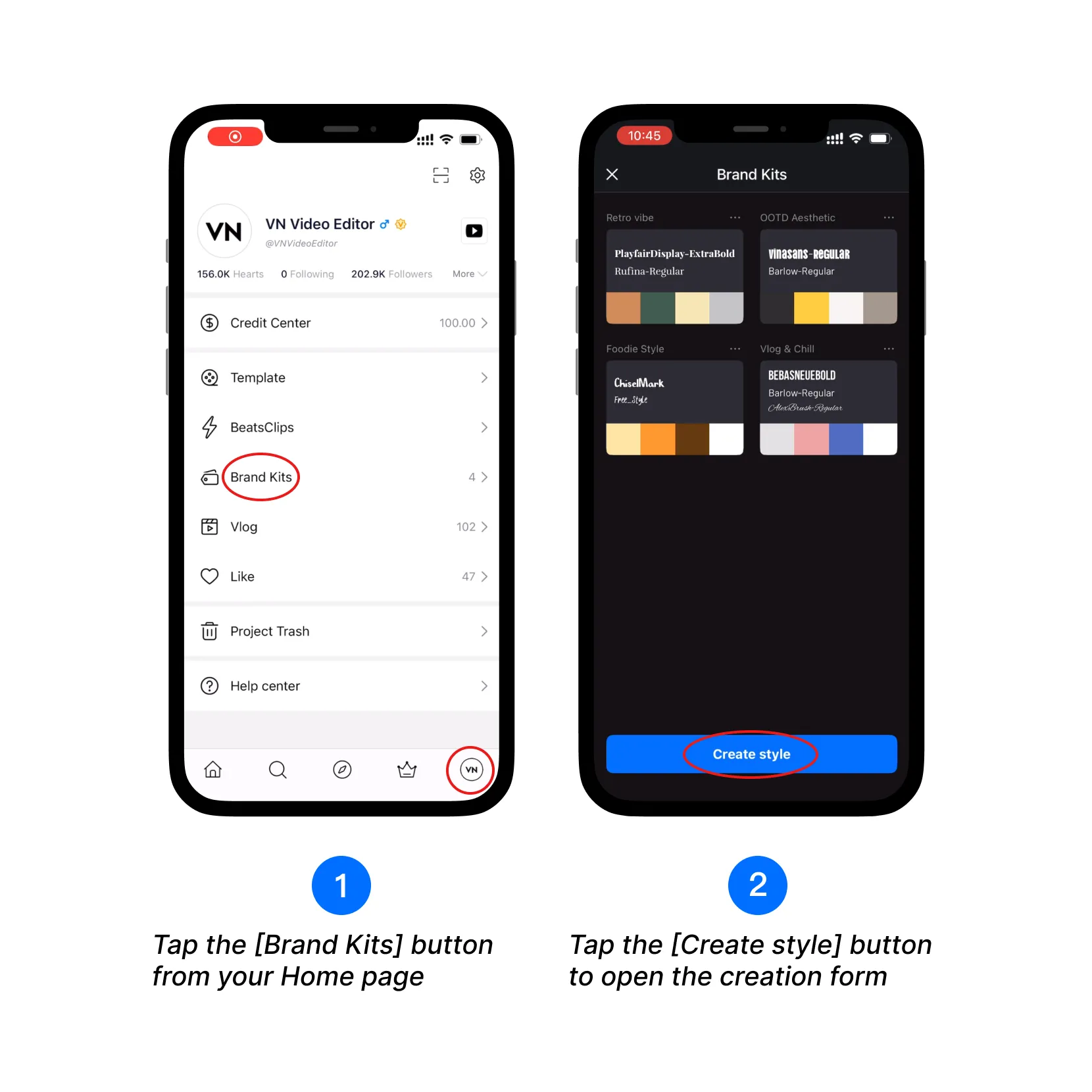
1. Tap the [Brand Kits] button from your Home page.
2. Tap the [Create style] button to open the creation form.
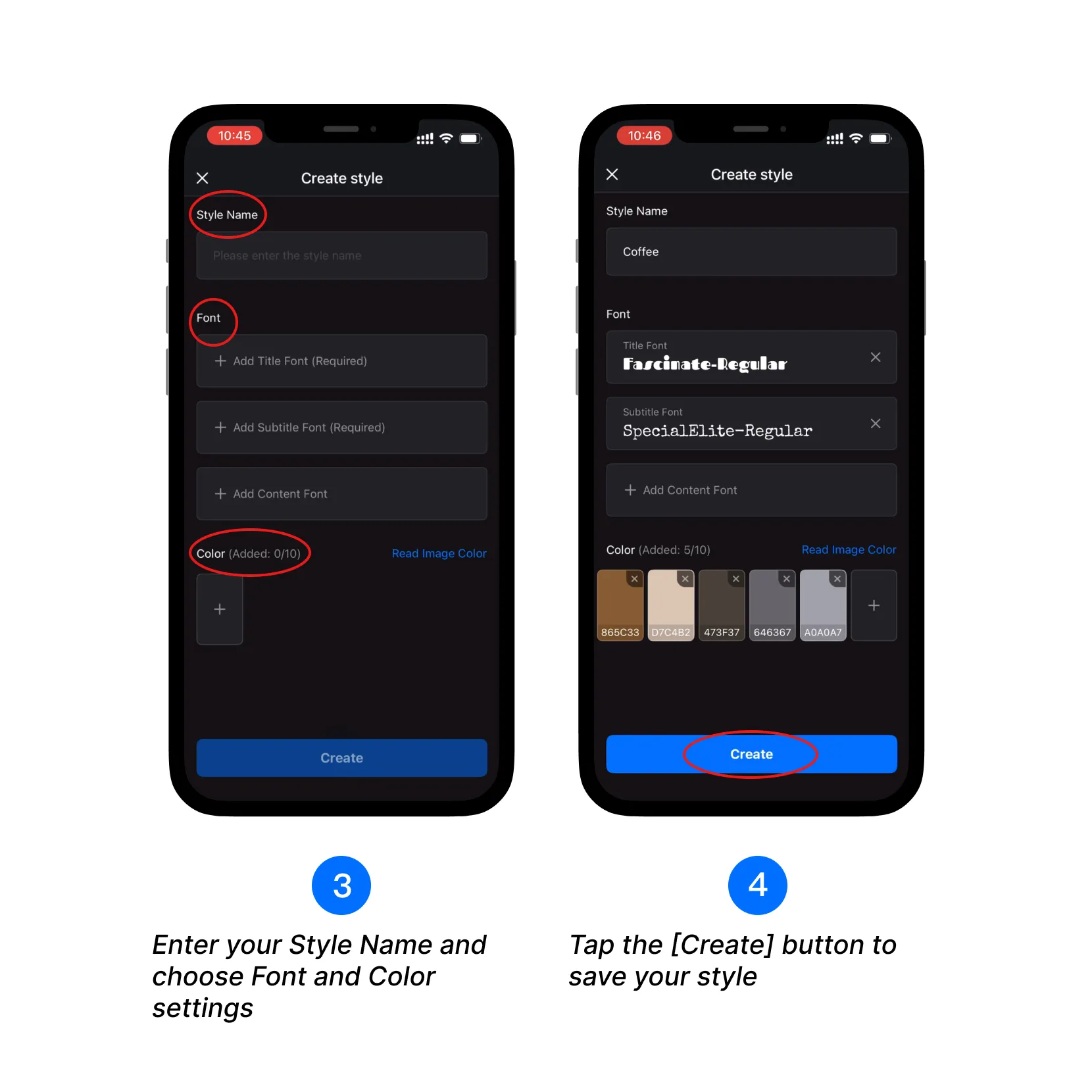
3. Enter your Style Name and choose Font and Color settings.
4. Tap the [Create] button to save your style.
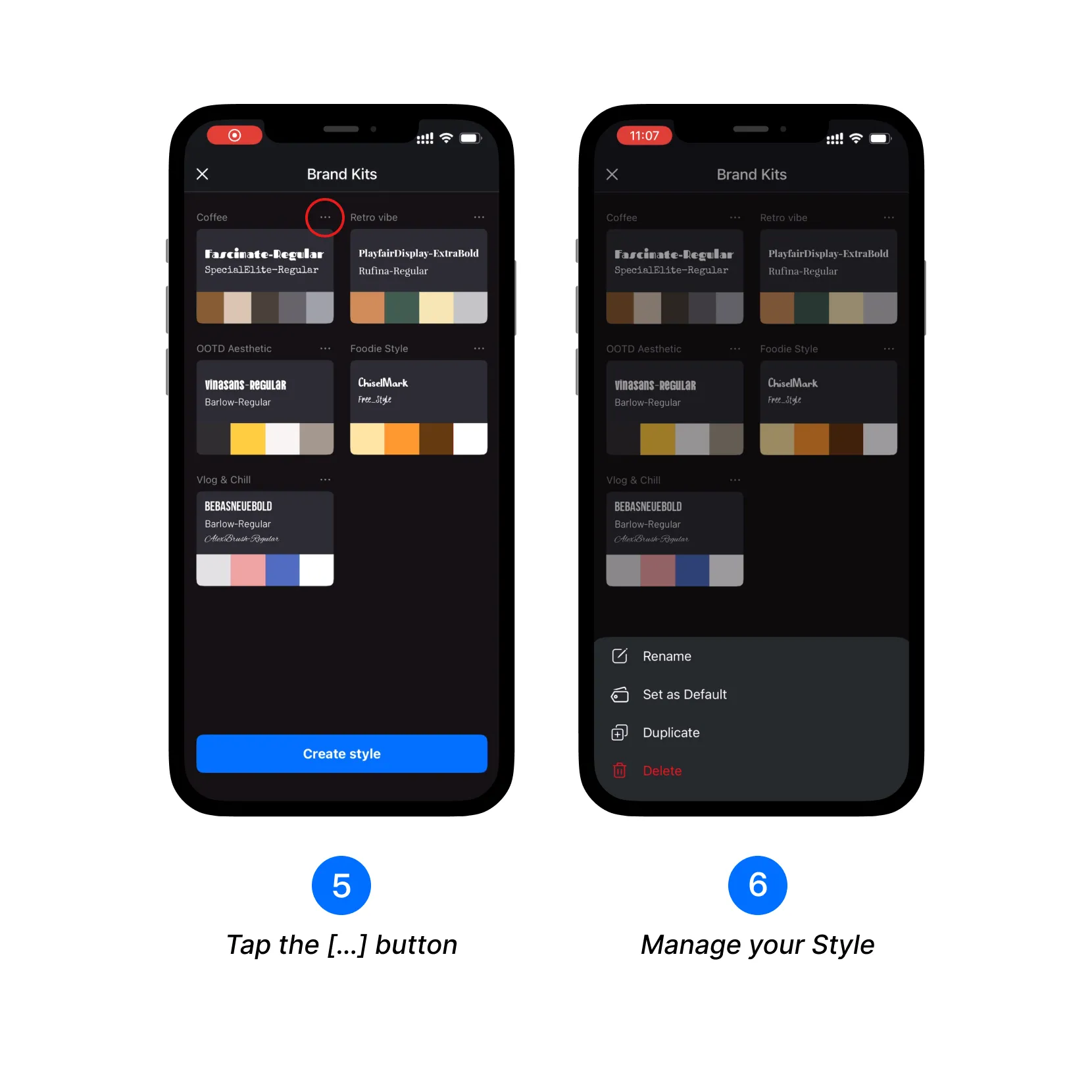
5. Tap the […] button next to your created Style to manage it.
How to Apply a Style?
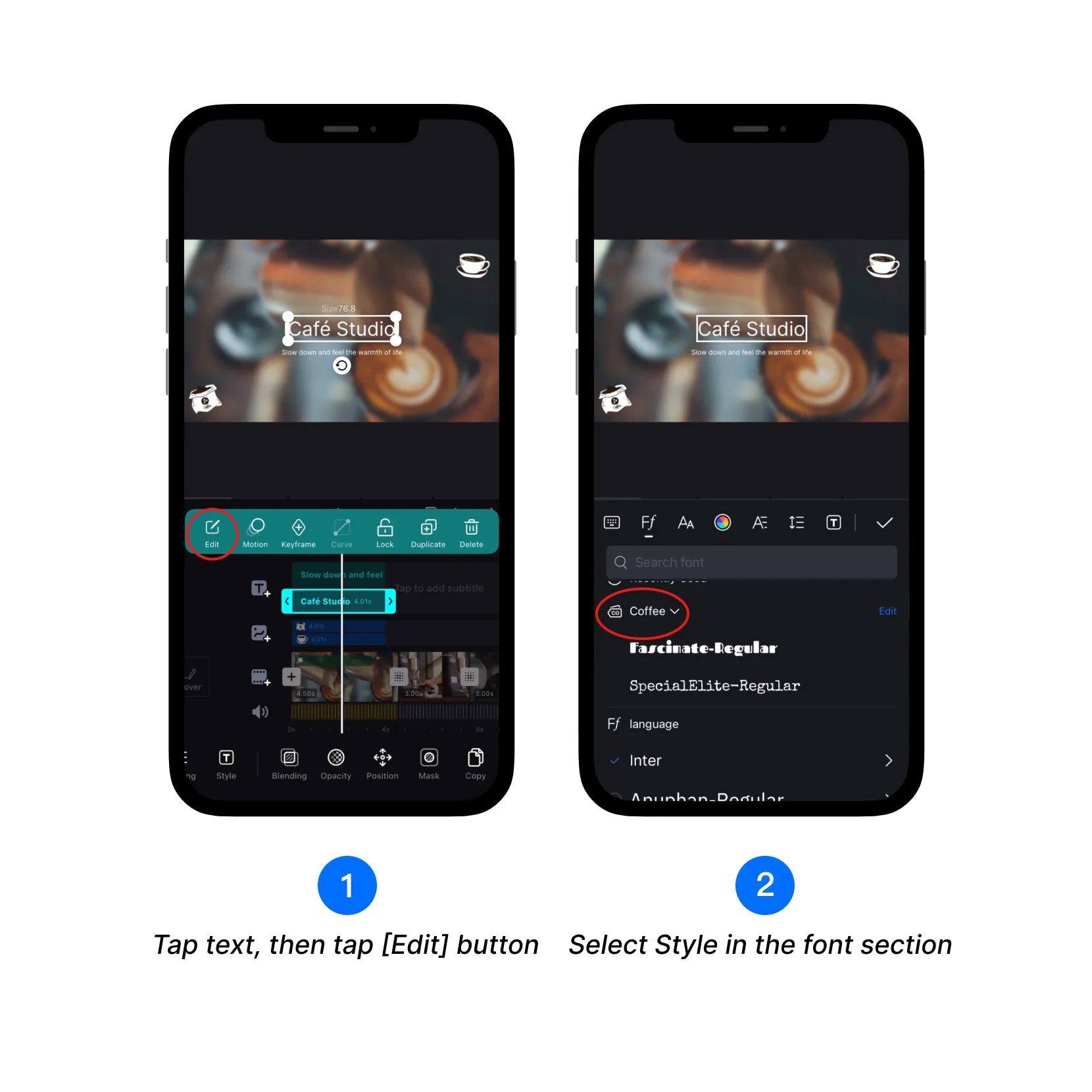
1. Tap a text element in the editor, then tap the [Edit] button.
2. Choose your custom Style from the font section.
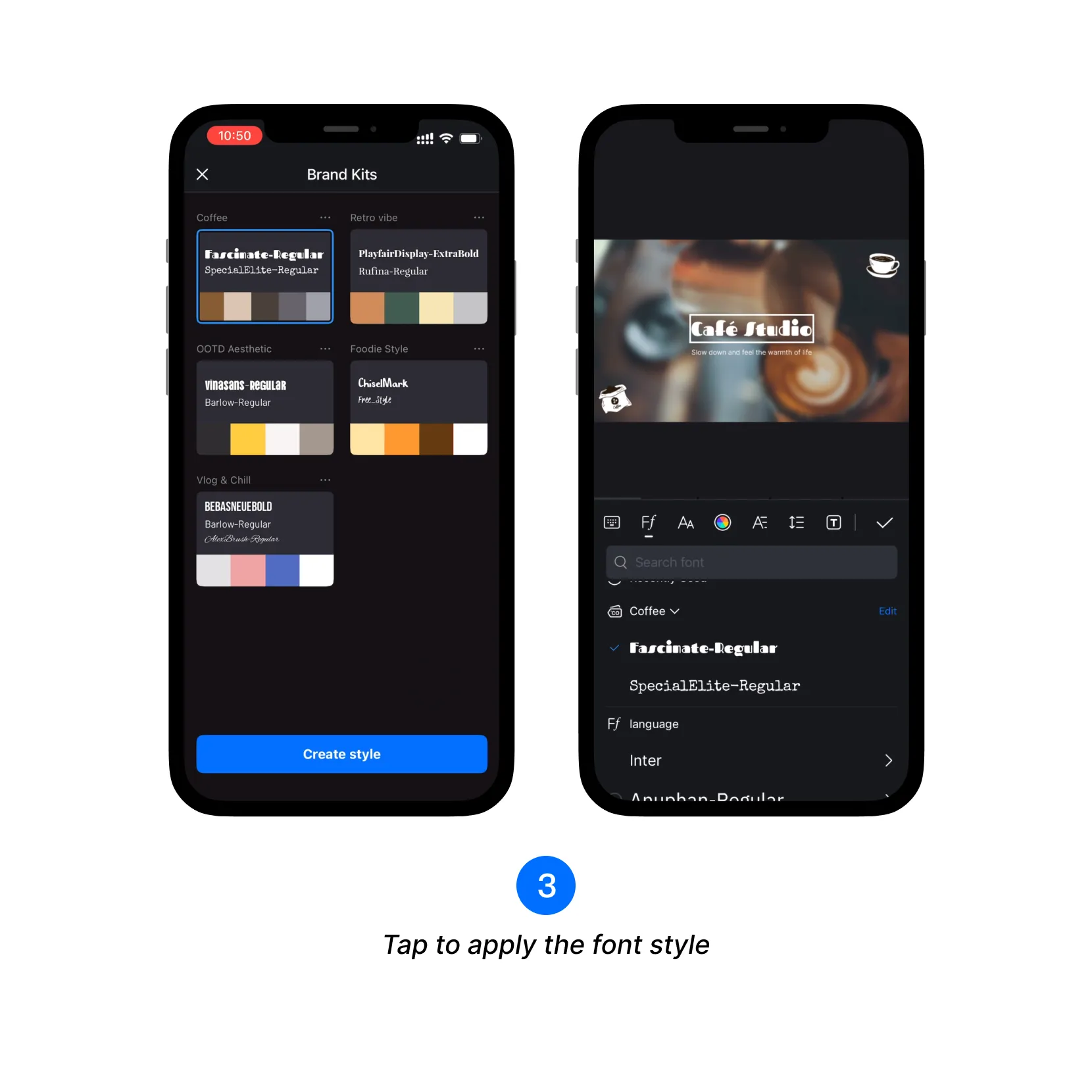
3. Tap the font in your Style to apply it instantly.
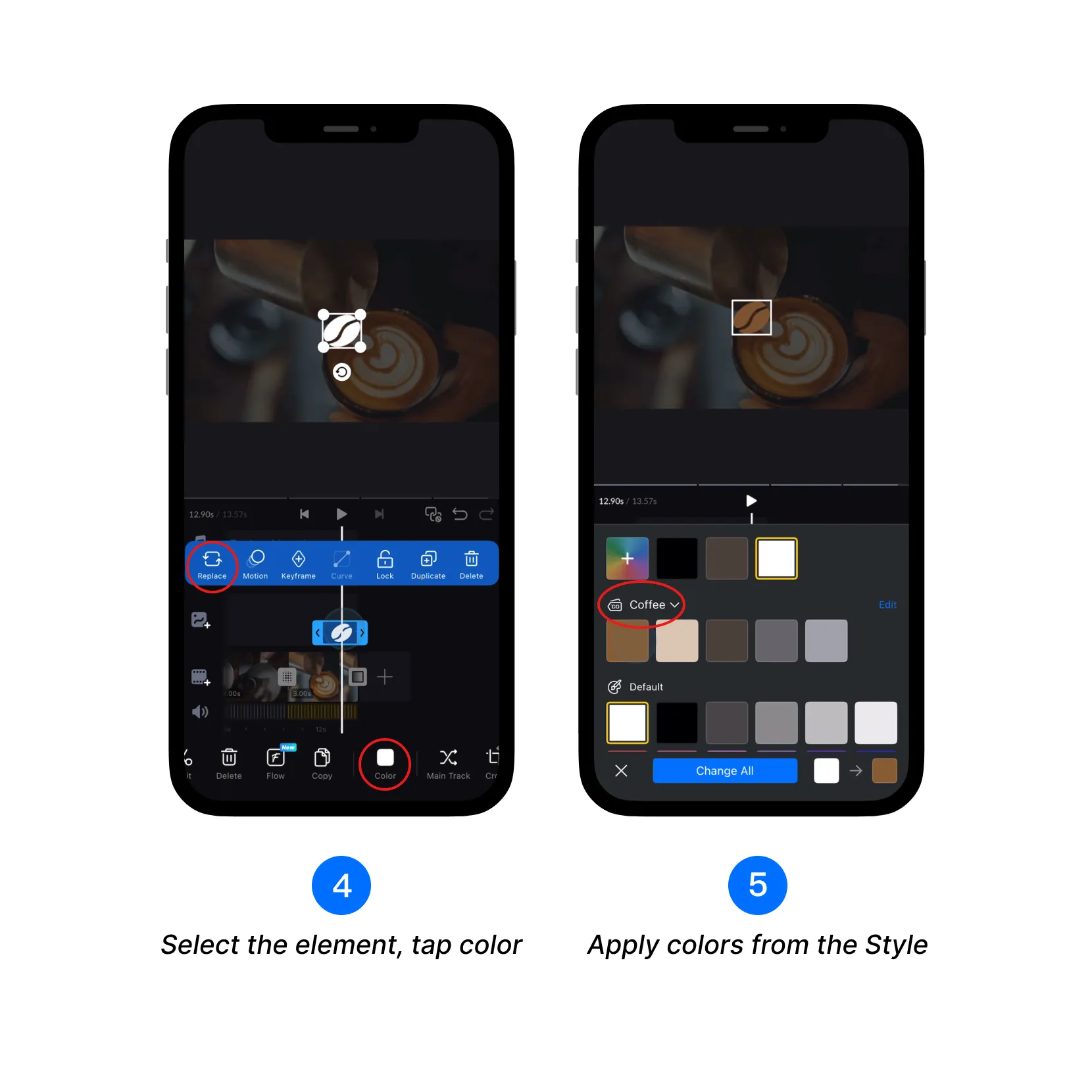
4. Tap the color area of the element to bring up color options.
5. Easily apply preset brand colors from your Style.