




Social Media Creators
Arrange locations, activities, and highlights into sections before building the final edit.
Plan videos in sections, organize clips and descriptions, and turn your Story into an editable VN project.
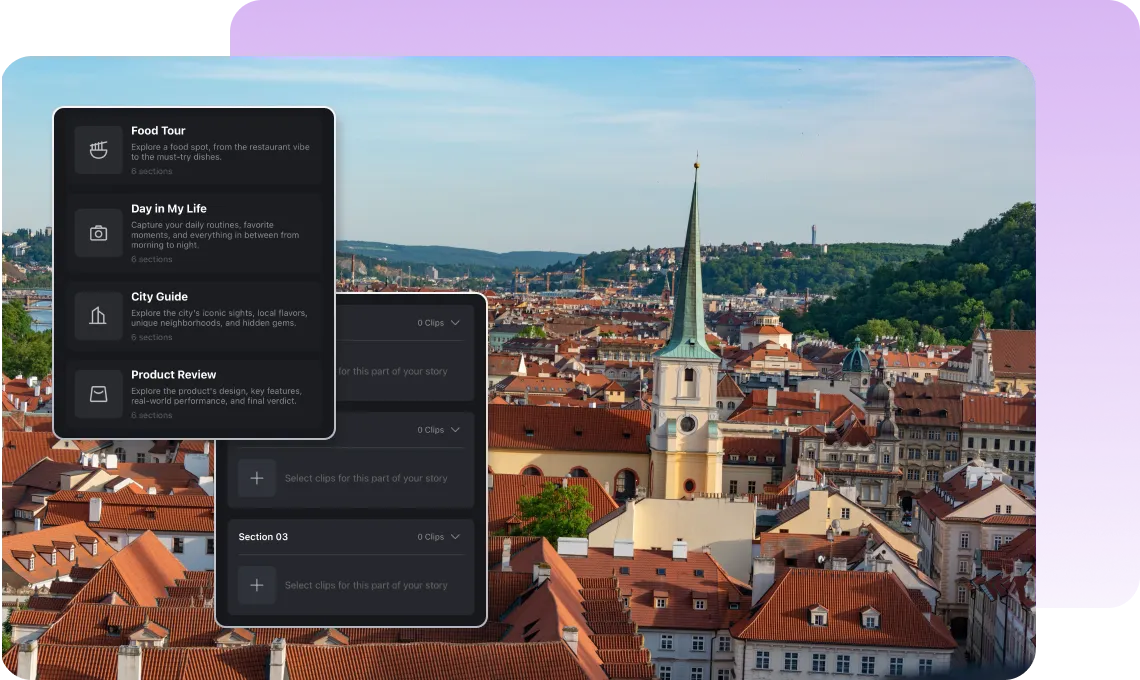
Start with a preset story structure or build your own from scratch to organize your video the way you want.
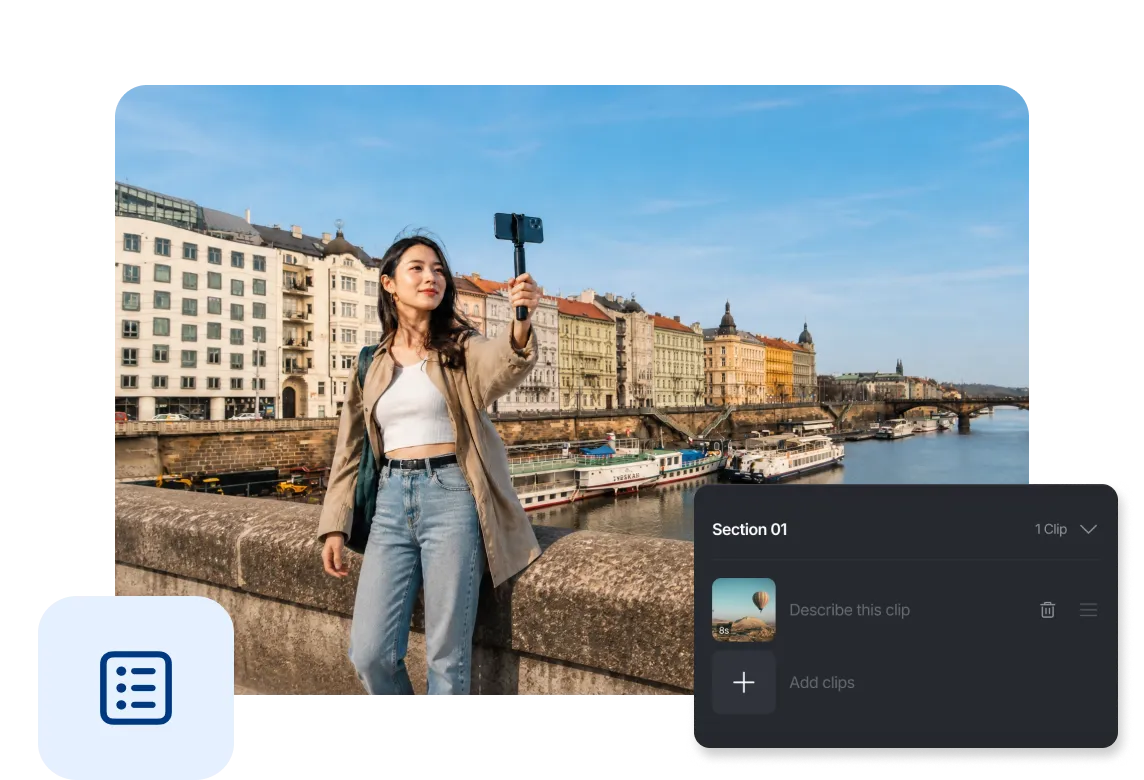
Add footage to each section, trim the part you want to use, and write optional clip descriptions to keep your plan organized.
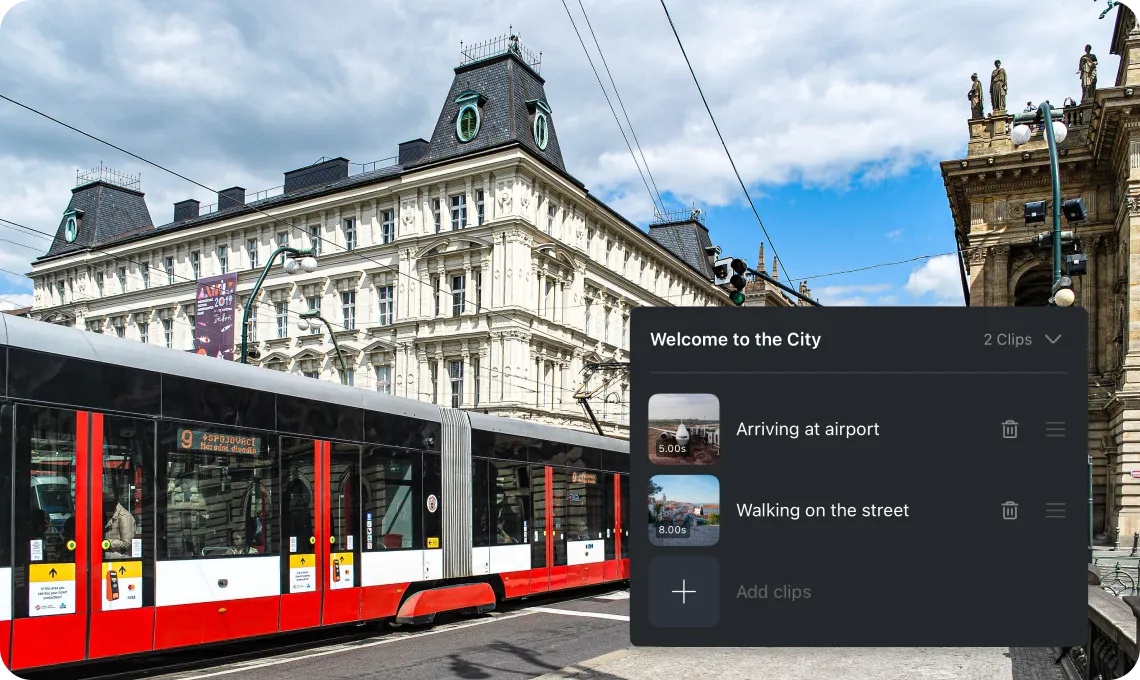
Start with Story to organize your sections, then continue editing in the video editor, or enter Story Editor from any projects to restructure your clips and ideas.
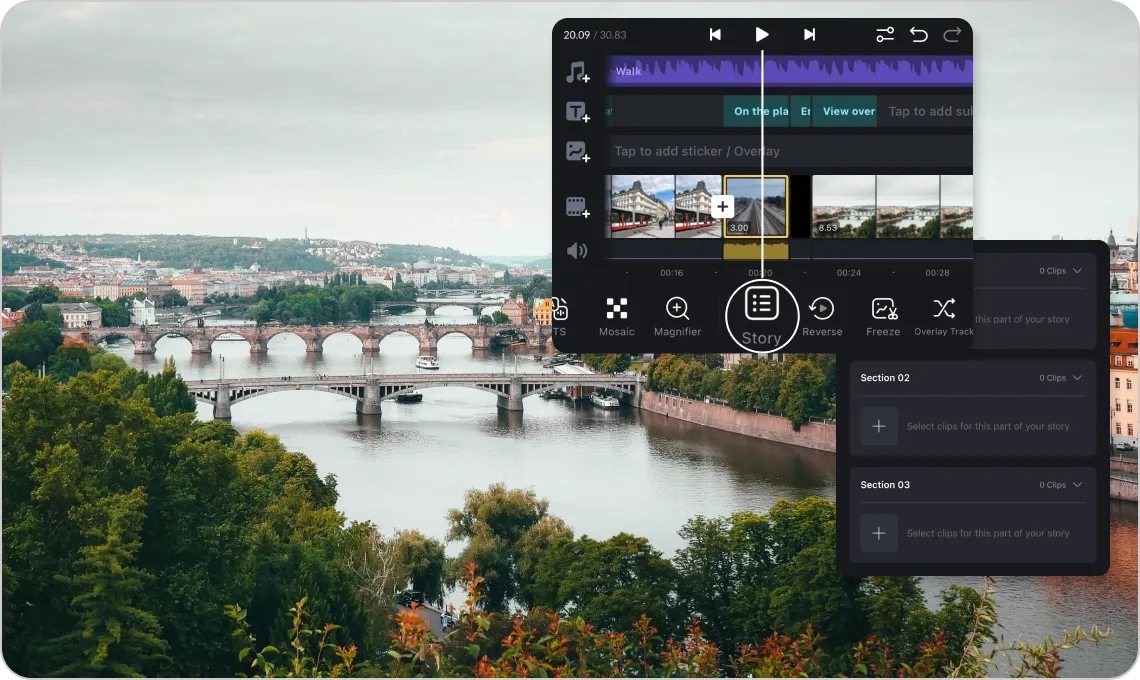
Arrange locations, activities, and highlights into sections before building the final edit.

Plan an introduction, key steps, examples, and a conclusion so the finished video is easy to follow.

Structure hooks, product details, demonstrations, and calls to action before refining the video in the editor.
Everything you need to know about planning videos with Stories in VN.
Stories is a planning workspace that lets you divide a video into sections, organize clips and descriptions, and then turn the plan into an editable VN project.
Blank Story lets you build your own section structure from the beginning. From Script provides a preset outline that you can customize with your own sections, clips, and descriptions.
No. Clip descriptions are optional. Use them to record your intent or to add the description to the generated project as text.
Yes. Enable Show Section Title Clip to add a title clip at the beginning of each section using that section's title.
Yes. After VN creates the project, you can edit its clips, timing, text, audio, effects, and other elements in the regular editor.
Yes. the Stories function is a core feature in VN and is free to use.
Enhance image resolution for sharper visuals.
Generate subtitles in multiple languages instantly.
Remove backgrounds automatically with AI.
Enhance, transform, or create images with AI.
Auto-sync cuts to music beats for perfect timing.
Turn black-and-white images into realistic color.


