






Clearing VN Storage: Methods & Benefits
Free up storage by exporting projects or using the clean-up tool. Regular cleanup helps the app run more smoothly, reduces lag, and saves device space—especially useful for users with many drafts or video files.
Backup & Delete Projects to Free Space
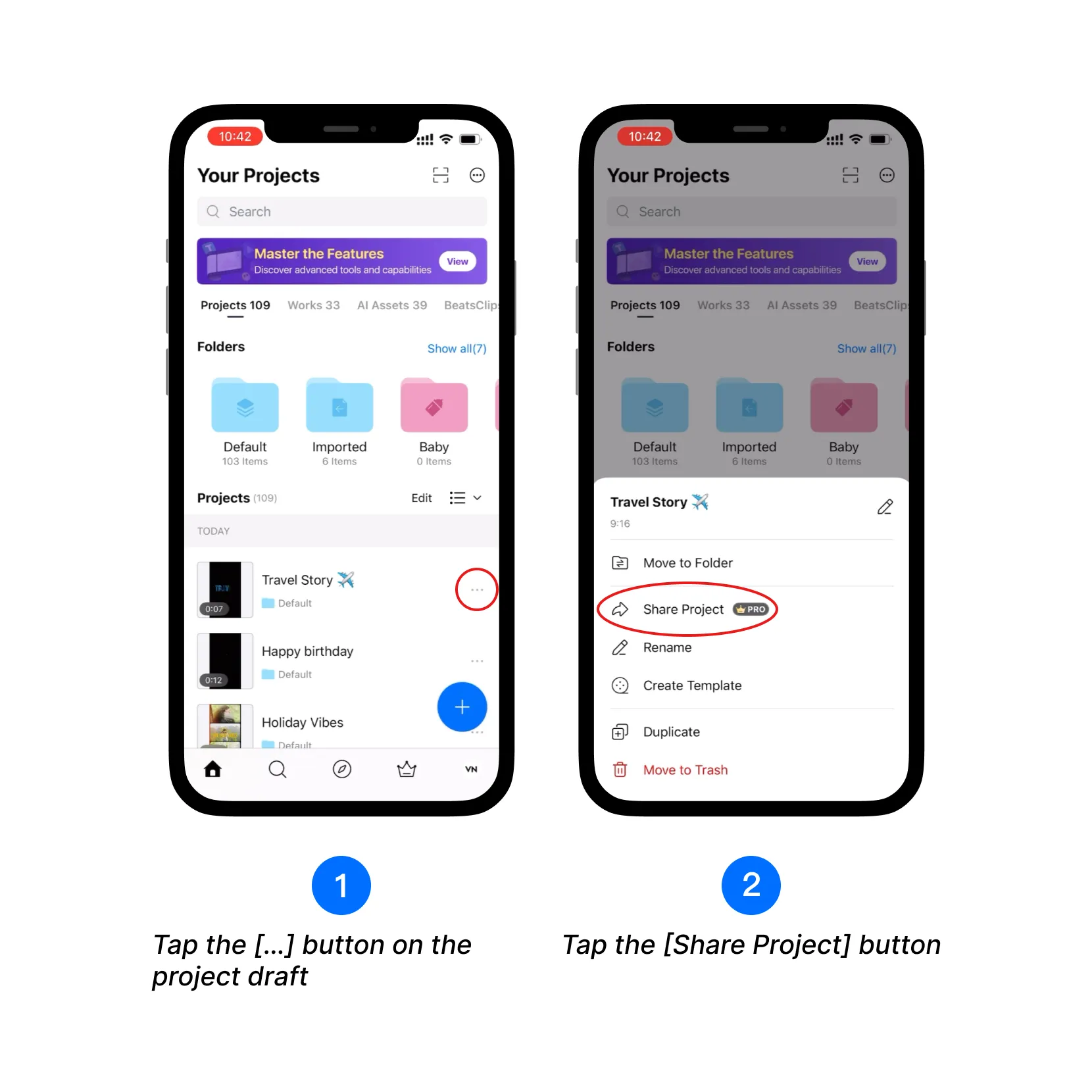
1. Tap the [...] button next to the project draft.
2. Tap the [Share Project] button.
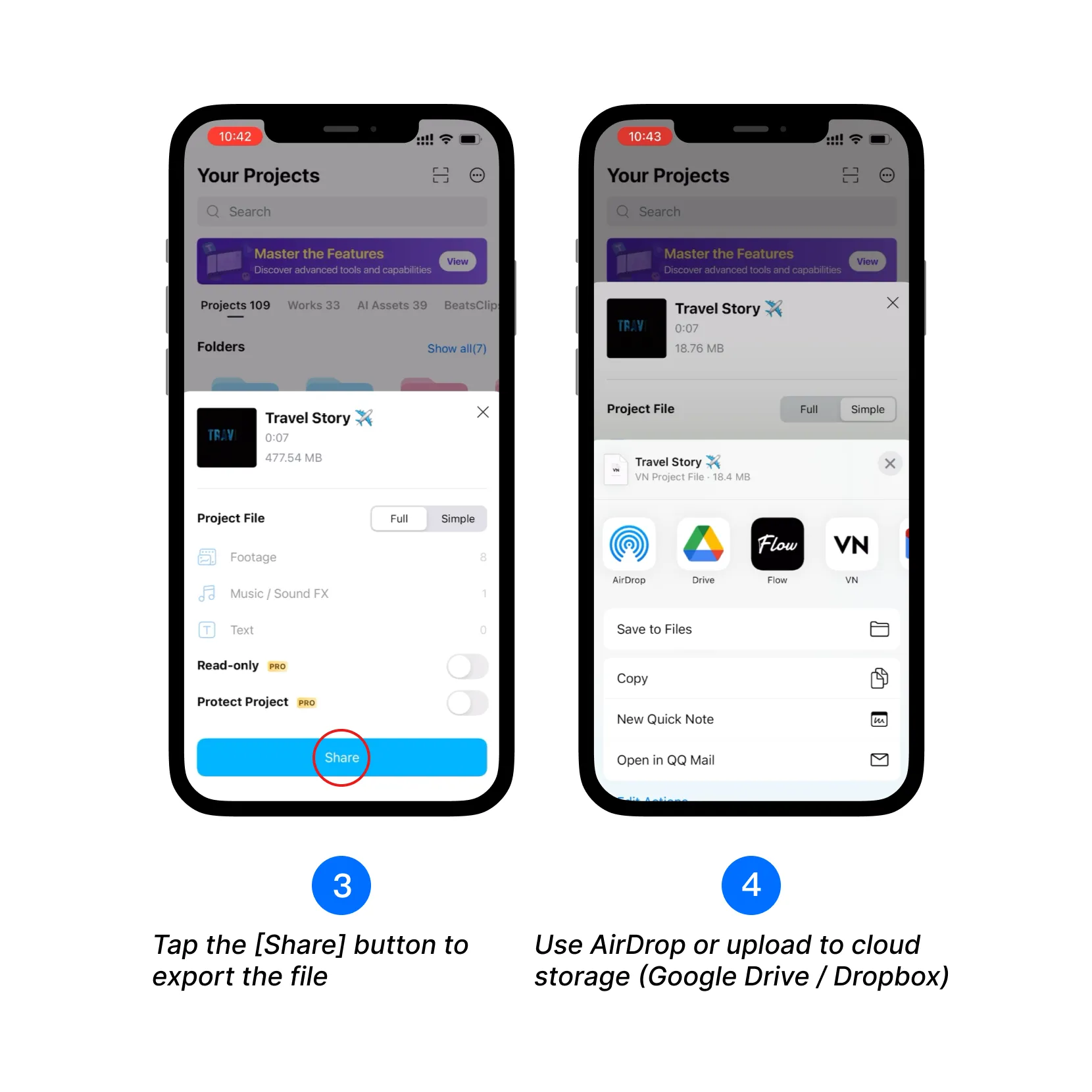
3. Tap the [Share] button to export the project file.
4. Share via AirDrop, or upload to Google Drive, Dropbox, OneDrive, etc.
5. After backup, you can delete the draft. Tap the [...] button on the project.
6. Tap [Move to Trash].
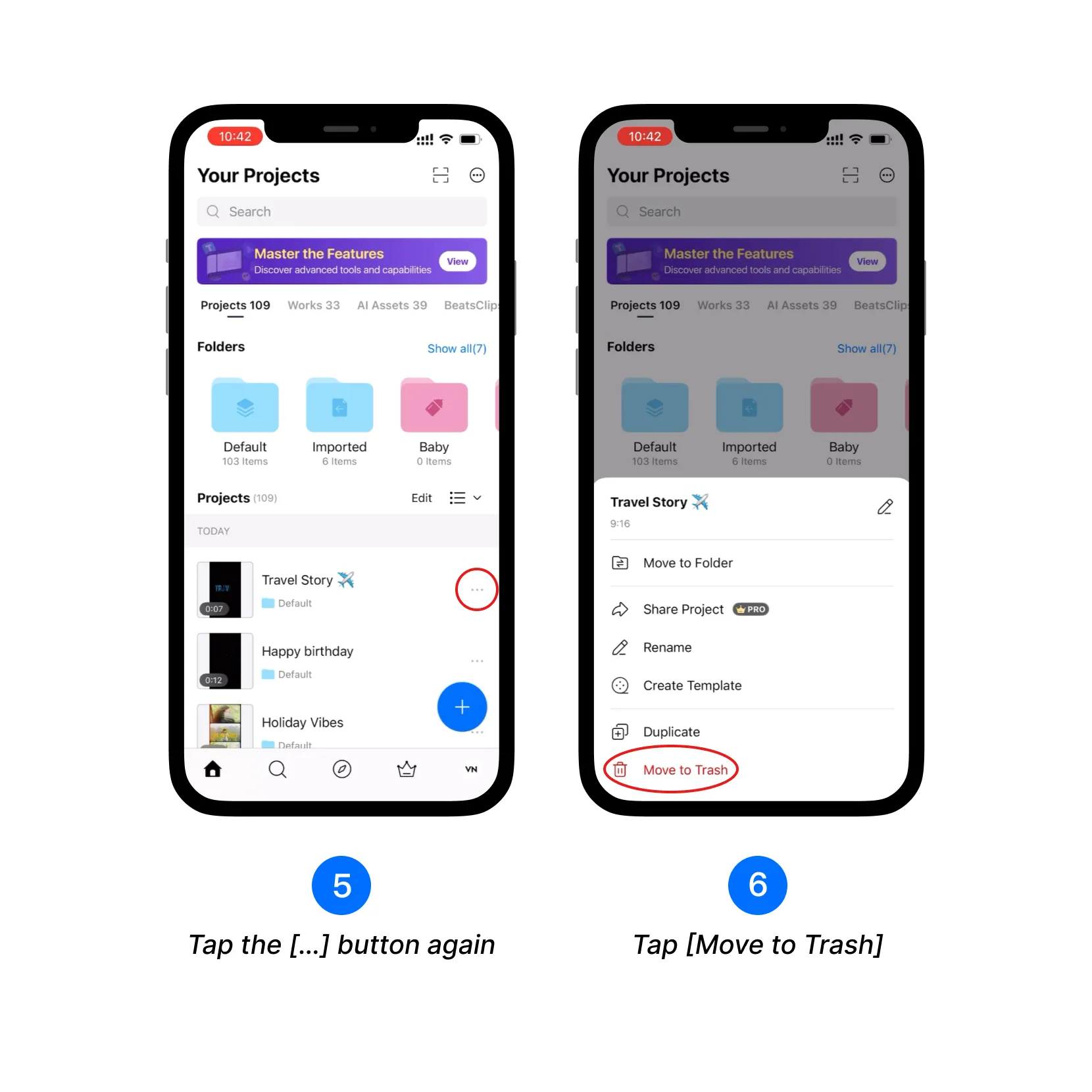
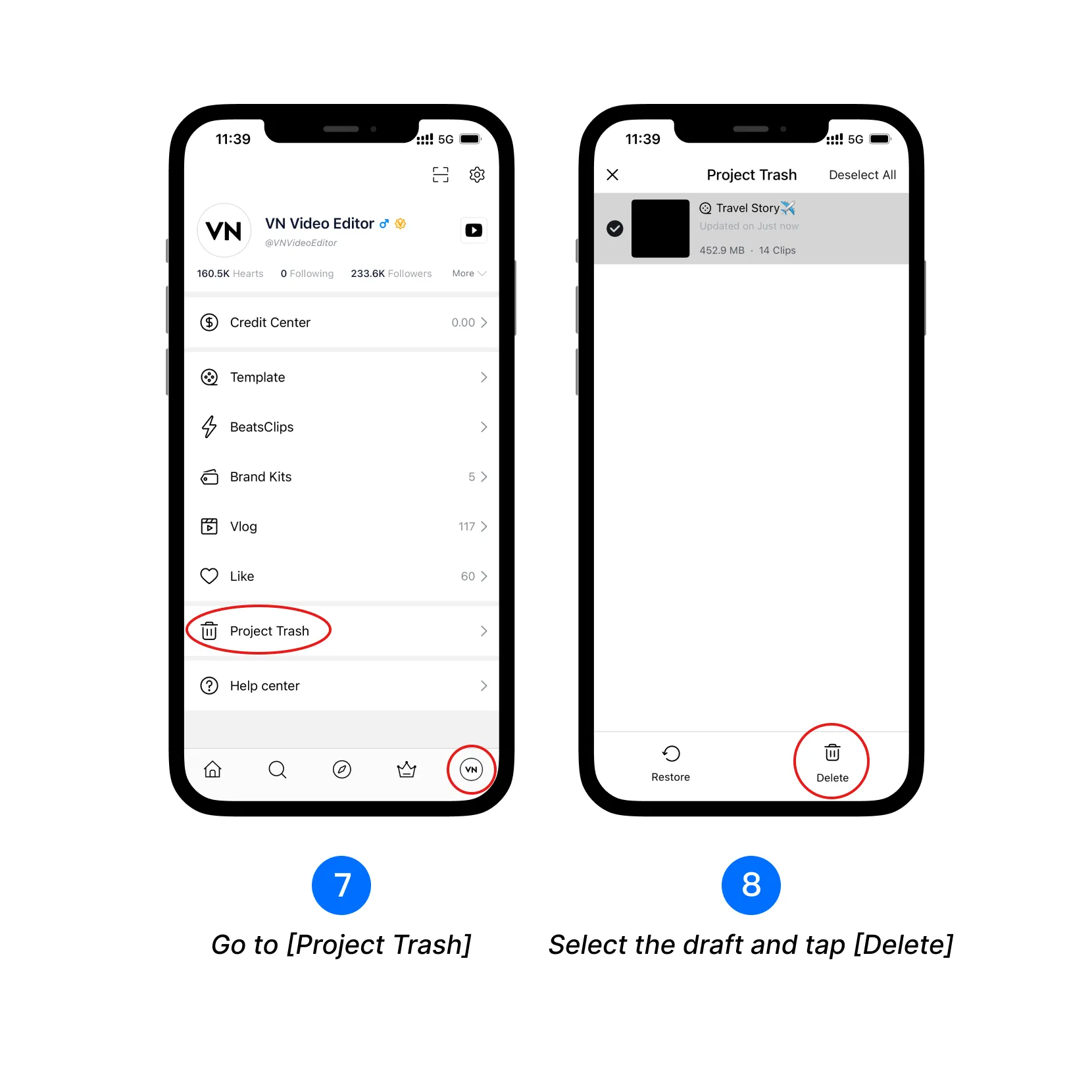
7. On your VN profile screen, tap [Project Trash].
8. Select the draft and tap [Delete] to permanently remove.
This process frees up space by removing large media files from VN.
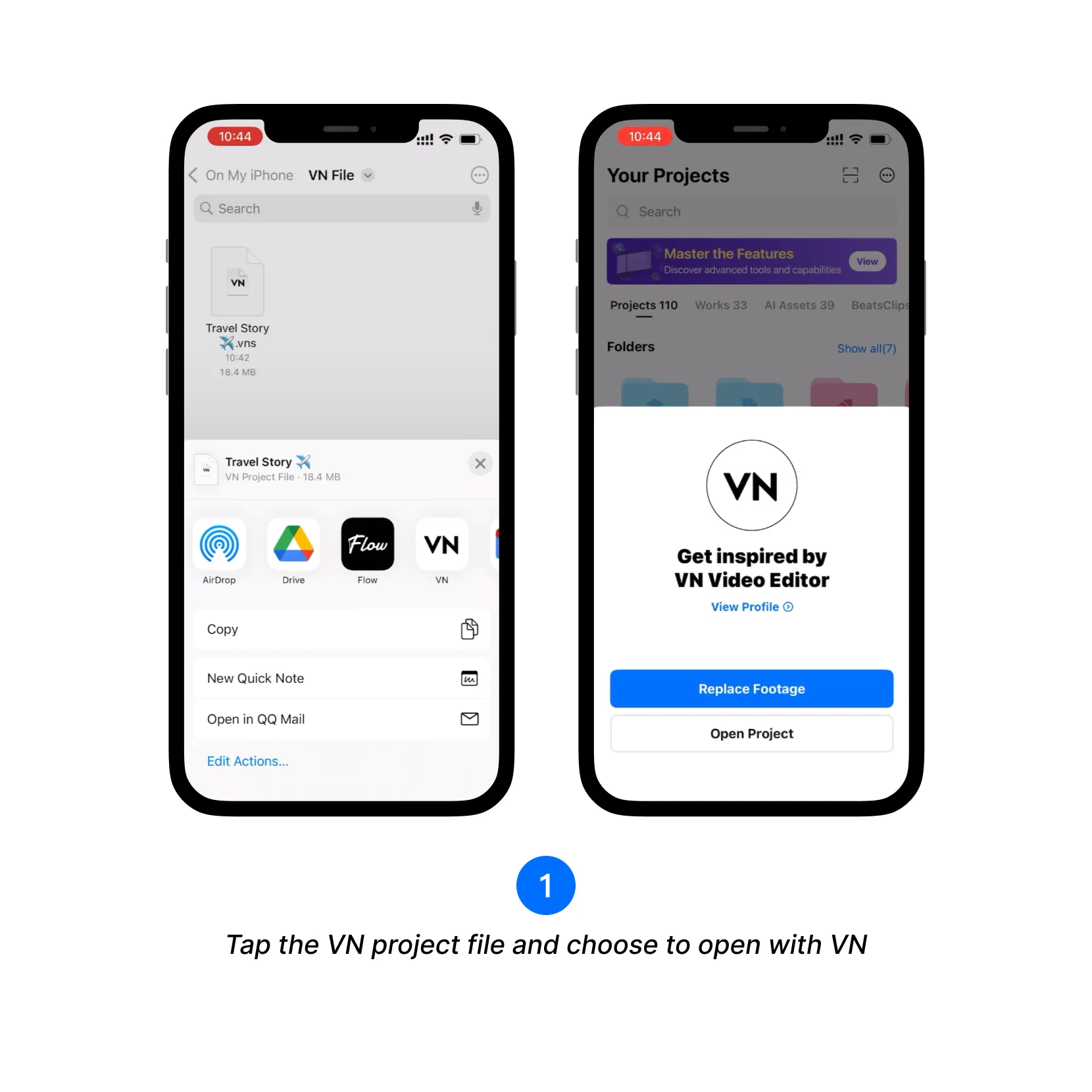
9. How to re-import project files? 1. Tap the VN project file and choose to open with VN.
Use the Clean Up Tool
1. Open Clean Up Storage
- Path 1: On the Project screen, tap the [+] button, then select [Clean up].
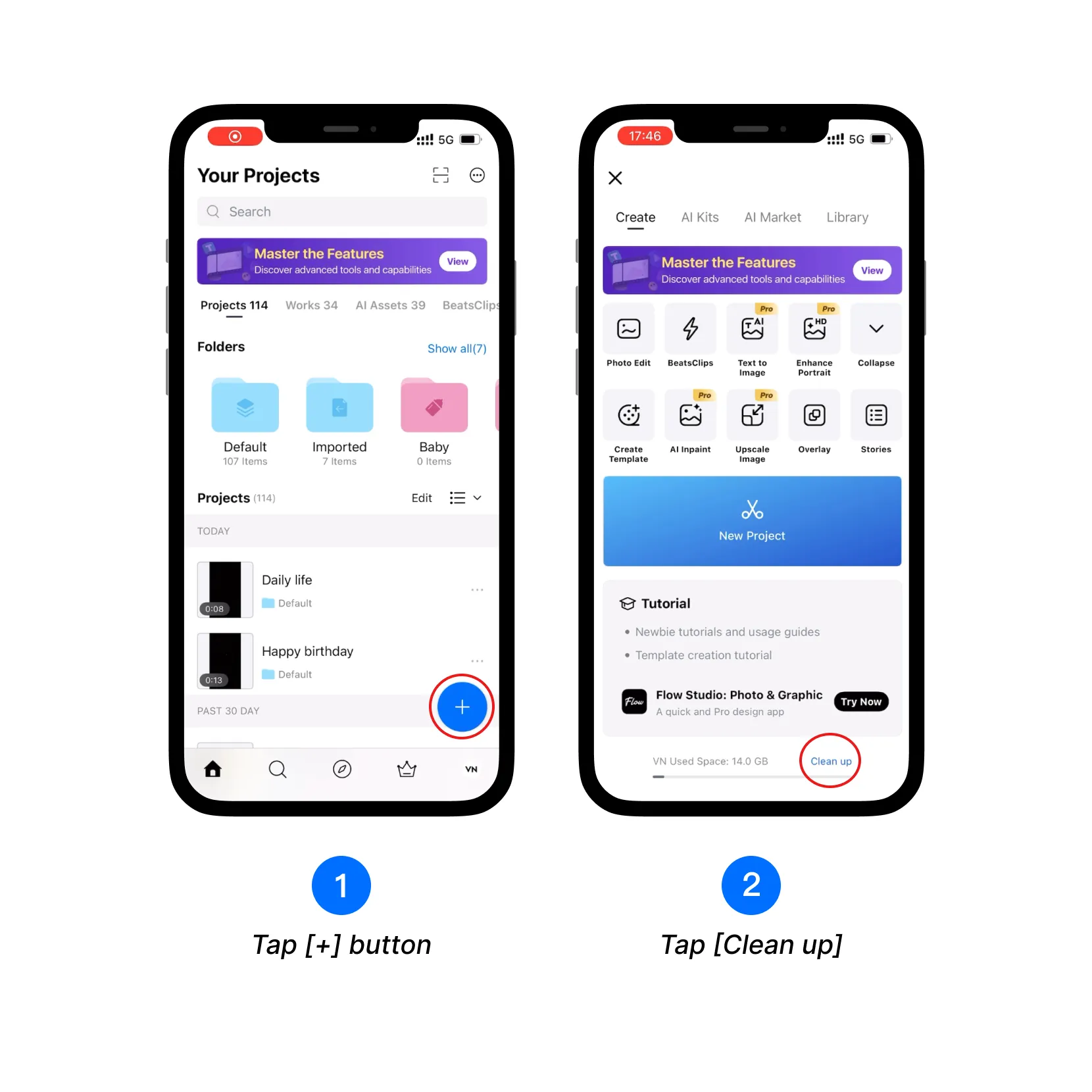
- Path 2: On the profile screen, tap the [Settings] icon, then tap [Clean up Storage].
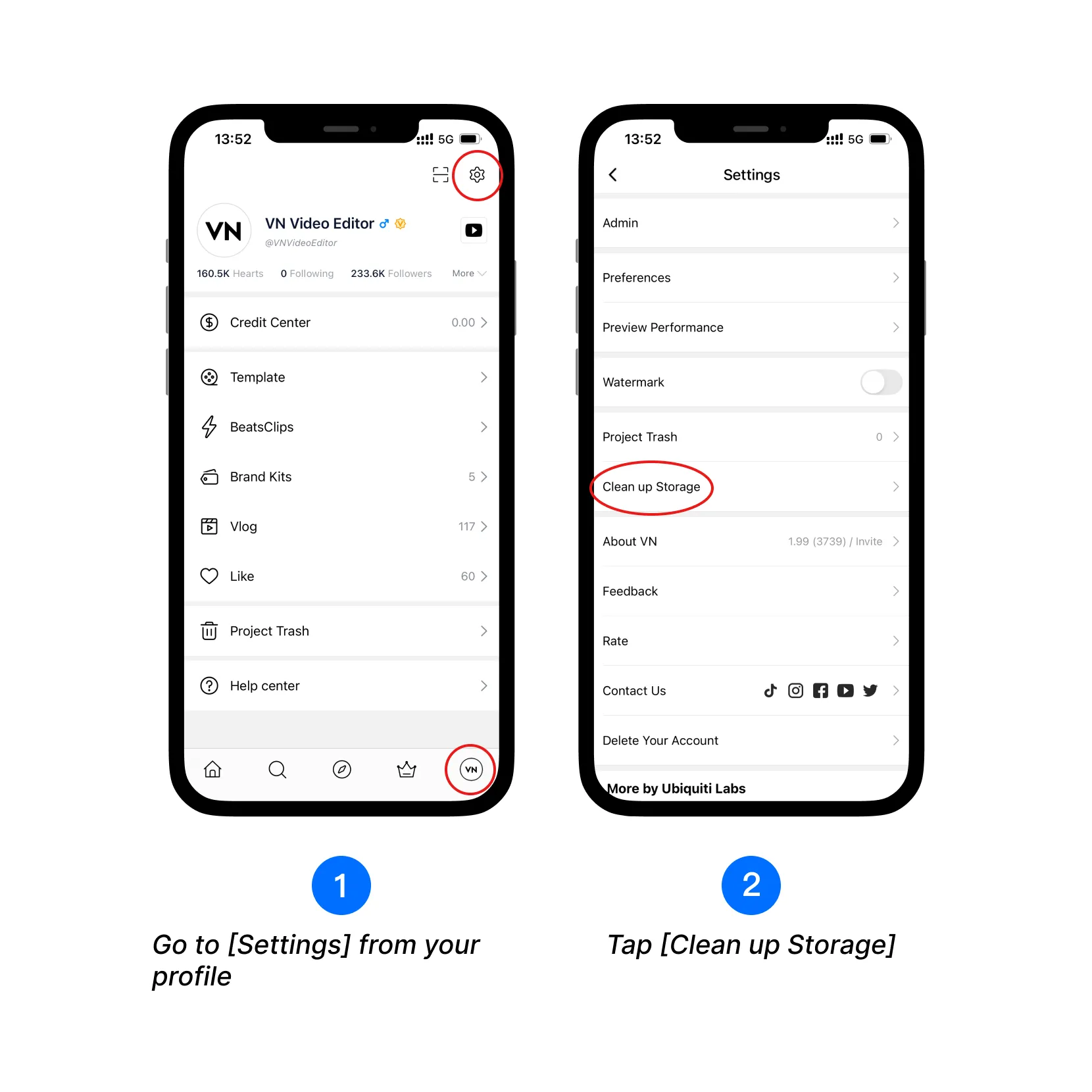
2. Tap the [Clean up] button next to each category (e.g., Temporary Data, Project Materials, Trash).
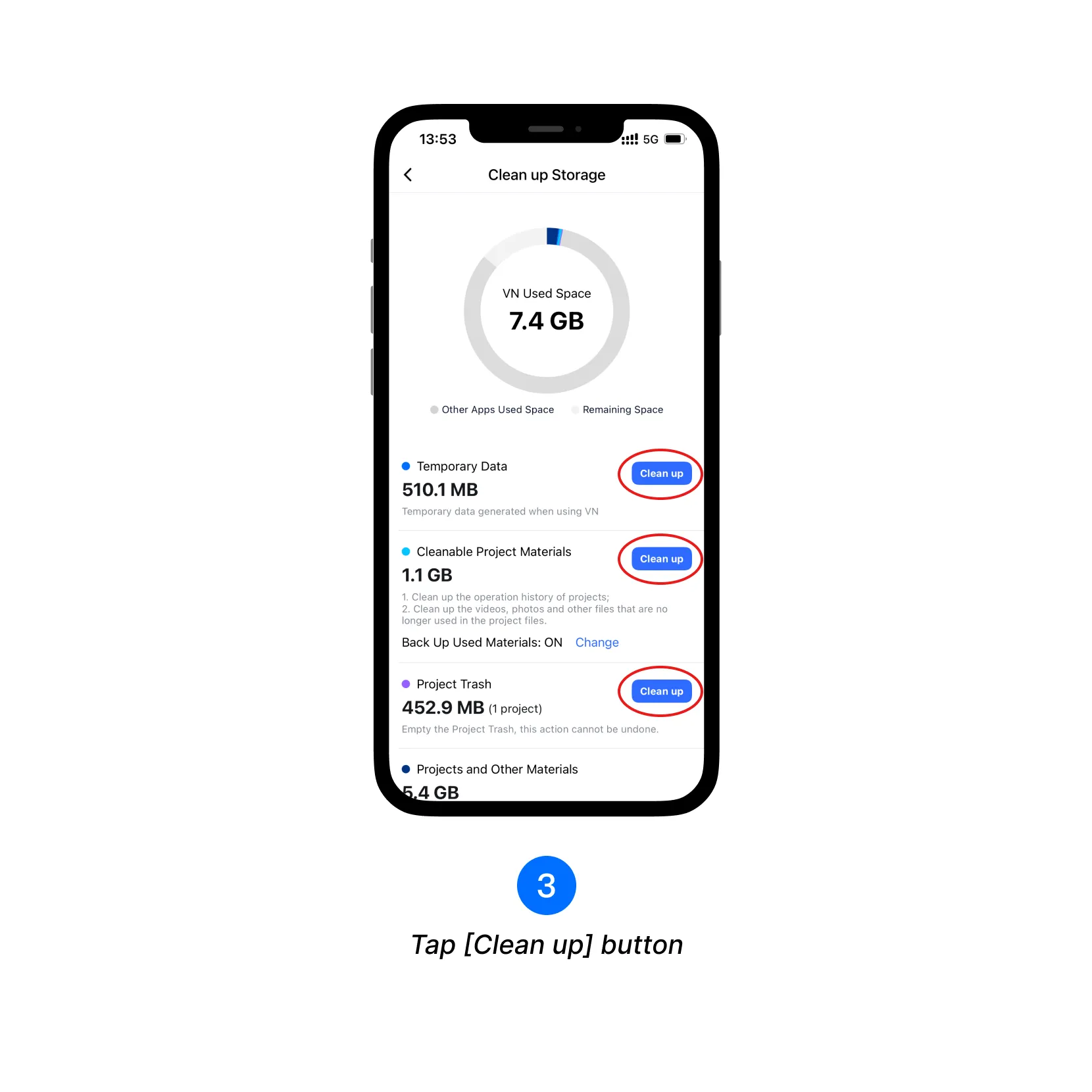
Clean Up Type Details
| Clean Up Type | Introduction to Clean Up | Suggest |
|---|---|---|
| Temporary Data | Temporary Data generated when using VN. | It can be cleaned without any worries. |
| Cleanable Project Materials | 1. Clean up the operation history of projects; 2. Clean up the videos, photos, and other files that are no longer used in the project files. |
Please choose cleanup carefully, because it will clean up the operation records of project files and cannot be withdrawn. |
| Projects and Other Materials | Including project files, stocks, templates, filters, music, soundFX, fonts, etc. | You can find the library, templates, filters, music, sound effects and fonts from the under, and click to find the materials you don't need to clean them up. |
| Project Trash | Empty the Project Trash, this action cannot be undone. | Clean up unneeded project files as required. |